
Reporting Identity in GA4
Learn more about Reporting Identity in GA4 and how you can use it.
Utilising the information from Search Console can be a goldmine.
And if you’re an SEO building an SEO report in GA4, getting that info, in line with other data is brilliant.
You can integrate GA4 with Search Console, to bring in information into the GA4 interface.
This guide will show you how to do that.
There’s a few things that need to be done to get your search console data in GA4.
The process looks like this:
Simple right!
Ok, let’s get into more detail.
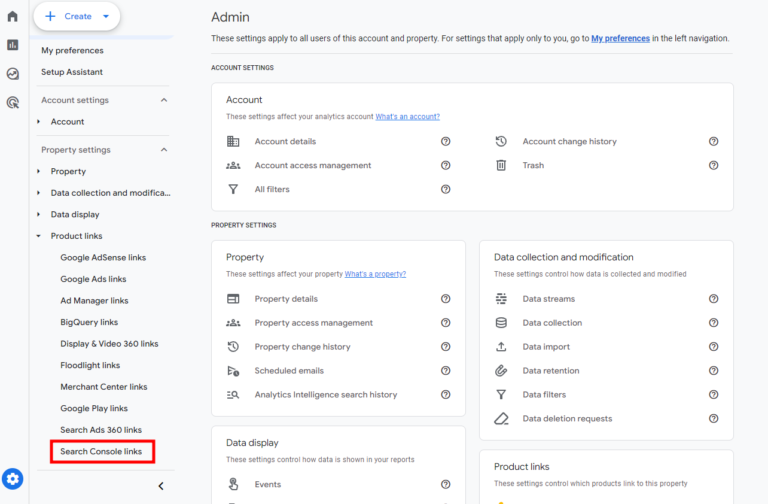
In the Admin panel, navigate to Product links and click on Search Console.
Once you have clicked on Search Console Links you should then click link.
You now have the ‘Create a link with Search Console’ interface.
You should then choose your Search Console property, then choose your Web Stream.
Review these (and for god’s sake, don’t add the wrong clients data to the wrong analytics property) and submit.
If you’ve done it right, you should see ‘Link Created’.
And it’s as simple as that to link GA4 to Search Console.
Once you’ve linked the data, you might be thinking, great, job done.
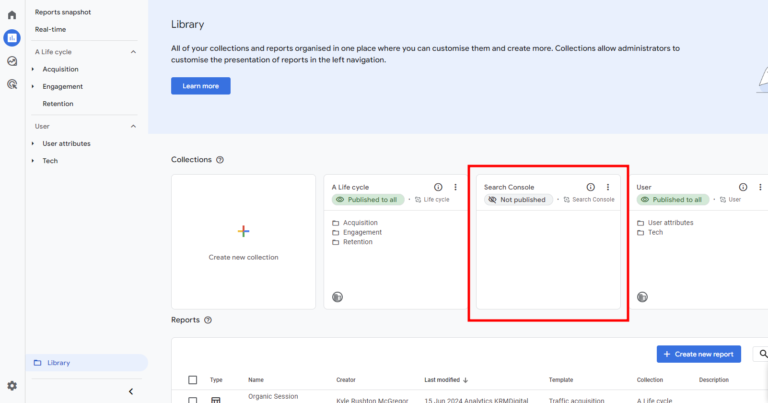
Well, the search console collection is unpublished by default.
So you’ll have to go into the collection option under library and publish it from there. This is in the same way that you would create an SEO Report for example
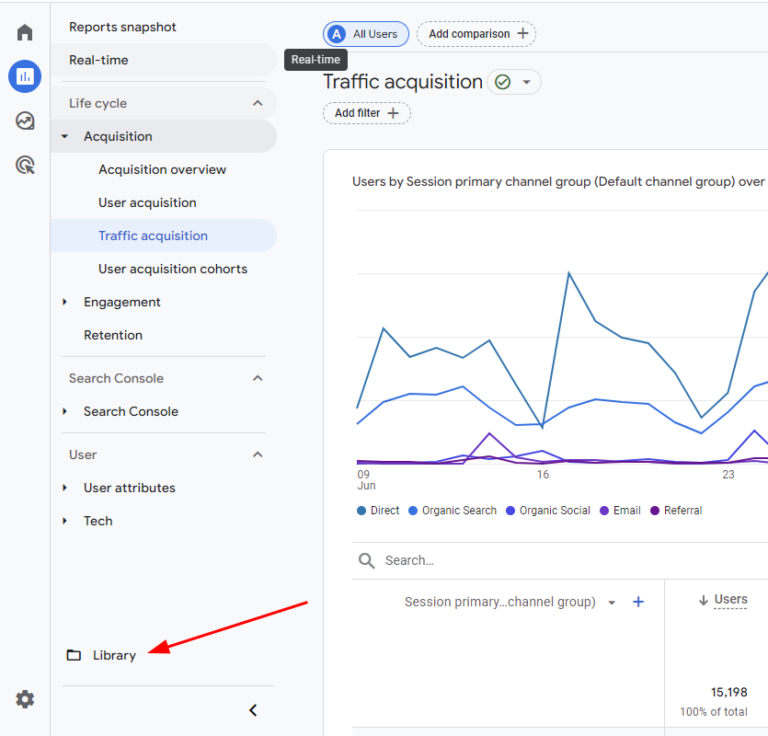
First click on the ‘Library’ option within the report section
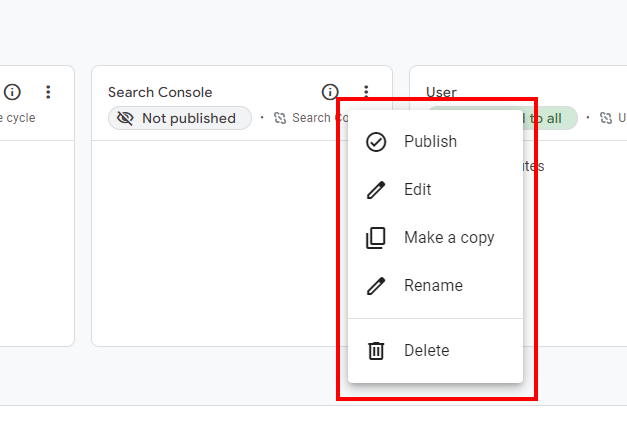
Then find your Search Console collection and click on the burger menu in the top right.
Choose the ‘publish’ option.
Your Search console reports will now appear in the report section of GA4.
Now that it’s all published and visible, you have access to:
This means you have visibility of what searches your site is visible for and how that is appearing.
The search console integration in GA4 gives you access to 2 reports:
The Queries report lets you view the queries your site is visible for with metrics including:
The search traffic report also has those metrics but comes with additional metrics including:
This report outlines the landing pages (+query string) that your site is visible for.
You can only combine search console metrics with the following dimensions from GA4:
But I’m sure that’s more than enough to get stuck into!
Just like in Search Console, the data only keeps data for 16 months.

Learn more about Reporting Identity in GA4 and how you can use it.

Author
Hello, I'm Kyle Rushton McGregor!
I have been working in PPC and SEO for over a decade now. I have expertise in supporting charities, SAAS and B2C – helping them drive more traffic and conversions. My experience covers